Do you ever get to the end of the month and wonder where all your money went?
Well, you’re not alone! Bills, pay days, the weekly grocery shop, that birthday present you forgot was coming up… it all adds up, and it’s SO much harder to manage when you can’t see it all in one place.
That’s where a digital planner comes in. In this post I’ll show you how to budget with a digital planner, step by step: setting a monthly budget, tracking your income, spending and bills, saving ahead with sinking funds, working towards a savings goal, paying off debt and doing a quick money check-in each month.
I’ll show you the finance pages I use, but the steps work in any planner with budget pages, or even a notebook and a pen.
In short
- Set a budget at the start of each month: expected income, fixed bills, everyday spending and what you’ll save.
- Write down what you spend as you go, and tick off bills as they’re paid.
- Use sinking funds to save a little each month for costs you know are coming, like gifts, car registration or a vacation.
- Track savings goals and debt on their own trackers, then do a short money check-in at the end of each month.
Why budget in your digital planner?
Your money and your calendar are more connected than you might think. Pay days, due dates and renewals are all dates, so it makes sense to keep your budget right next to them. (I talk more about this in how to keep all your plans in one digital planner.)
And there’s something about writing each amount down yourself. You really NOTICE where your money is going!
Step 1: Set your monthly budget
Start each month by deciding where your money is going to go, before it goes!
A good monthly budget page has room for your income, savings, bills and everyday spending, with two columns: what you plan to spend (budget) and what you really spent (actual). Grouping your spending into categories, like housing, transport, food and personal, makes it much easier to see where it’s all going.
To fill it in:
- Write your expected income for the month.
- List your fixed costs, like rent or mortgage, utilities, insurance and your phone.
- Estimate your everyday spending, such as groceries and transport. Last month’s actual figures are the best guide.
- Decide what you’ll put towards savings and debt.
- Check the totals. If your planned spending is more than your income, adjust a category or two until it fits.
Your first budget won’t be perfect, and that’s completely fine. It gets easier every month.
Step 2: Track your income, spending and bills
A budget only works if you know what you actually spent. So write it down as you go.
A weekly spending log is an easy way to do this. Note the date, the category, what it was and the amount, and whether you paid by cash, checking or credit. At the end of the week, add it up and move the total across to your monthly budget page.
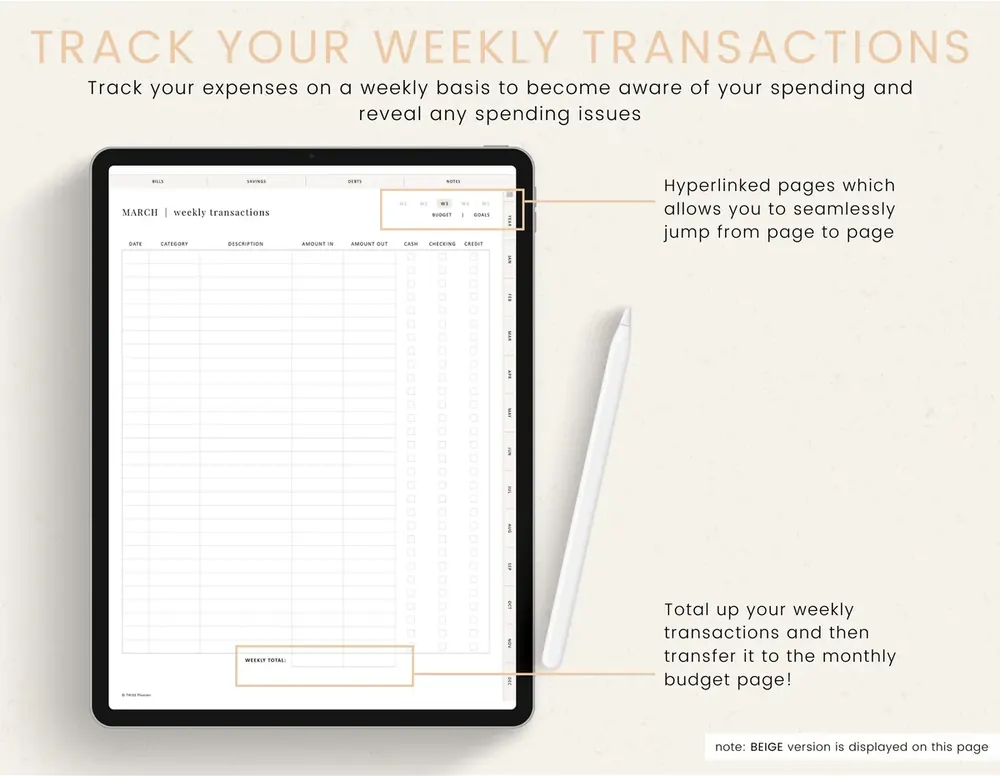
Prefer to keep it simple? Skip the weekly log and write your spending straight into the actual column of your monthly budget instead.
Bills deserve their own spot. Write each one in the bills table with its due date and amount, then tick it off when it’s paid. During your weekly planning, copy any bills due that week onto your weekly planner so nothing sneaks up on you. (Here’s how to plan your week in a digital planner.)
And don’t forget the subscriptions page! Renewals are SO easy to miss when they only live in your inbox.
Step 3: Save ahead with sinking funds
Have you ever been caught out by a big bill you KNEW was coming? Car registration, Christmas presents, the yearly insurance payment…
A sinking fund is a simple way to plan for these. You work out how much a known cost will be and when it’s due, then put a little aside each month so the money is there when you need it.
As a simple example (the numbers are just to show the idea), a $600 cost due in 12 months works out to $50 a month.
Common sinking funds include:
- Birthdays and Christmas gifts
- Car registration, servicing and insurance
- Vacations
- Back-to-school costs
Give each fund its own line (or its own savings tracker page) with the total, the due date and the monthly amount. Then add those monthly amounts to the savings part of your budget, so the money is set aside before you start spending.
Step 4: Work towards a savings goal
Saving is much more motivating with a clear goal you can see yourself getting closer to.
Give each goal its own savings tracker page, with the goal amount, start and end dates, and a log of each deposit and withdrawal so you can watch your balance grow.
Don’t skip “Why is this goal important to me?” Knowing your why is what keeps you going when it gets tough. Then use “Ways I can save money” to list small changes you can actually make.
Then color in the progress bar, 10% at a time. It’s such a nice feeling to watch it fill up!
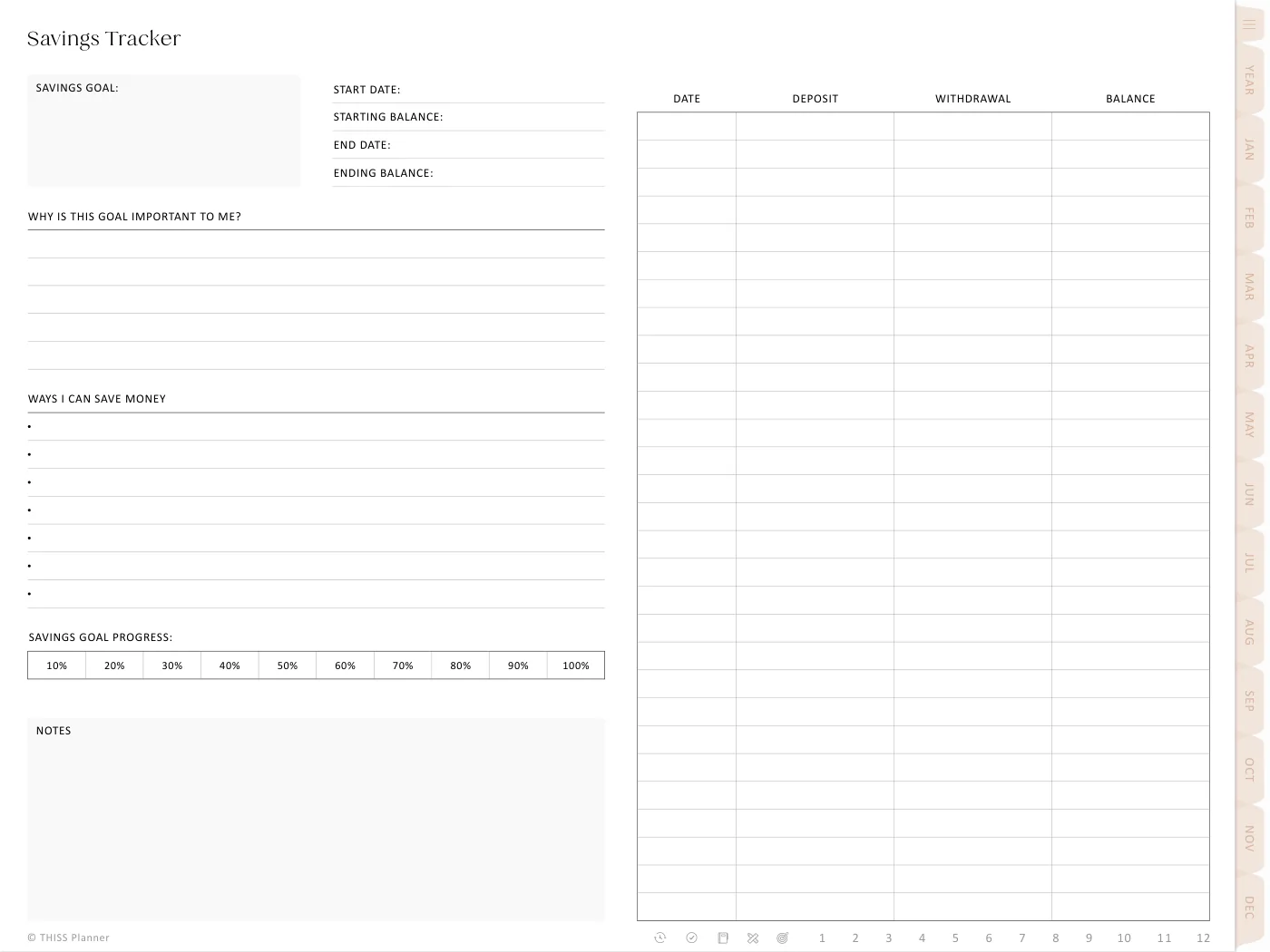
If you like a challenge, try a 52-week savings challenge, where you save a little more each week. And if your goal needs a bit more shape, my post on how to set goals you will actually achieve can help.
Step 5: Make a plan to pay off debt
Seeing a debt shrink, line by line, can be really encouraging.
For each debt, write down who it’s with, the balance, the interest rate, the minimum payment and the due date, then pick a goal payoff date. Every time you make a payment, log it with the new balance. Watching that number go down is SO motivating!
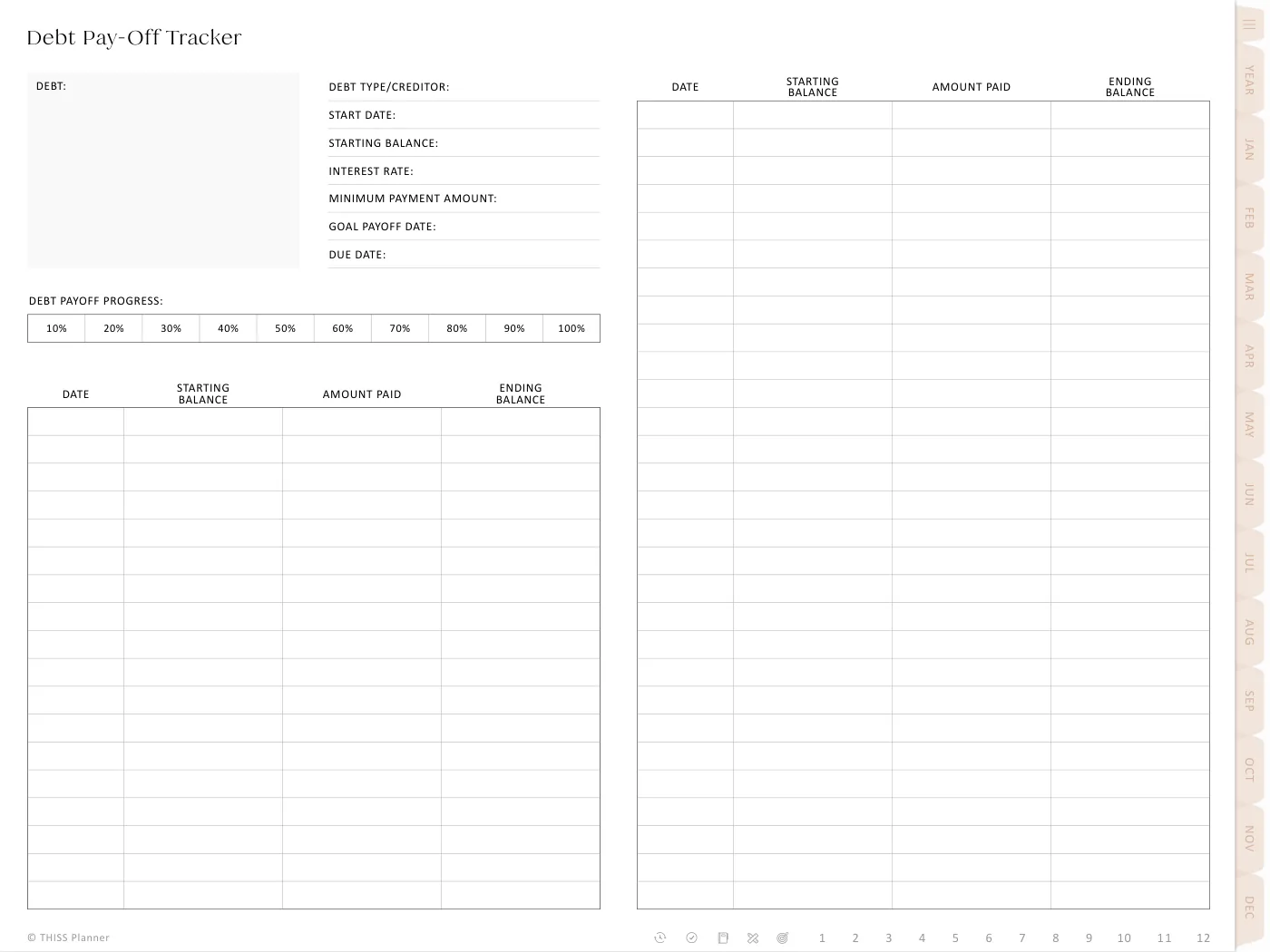
Paying off more than one debt? List them all on one page first, so you can see the whole picture. Which debt to pay first depends on your situation, so it’s worth getting proper advice if you’re unsure.
Step 6: Do a monthly money check-in
This is the step that ties it all together. At the end of each month, set aside a little time to:
- Fill in the actual column and compare it with your budget.
- Check that every bill has been paid.
- Update your closing balance for the month.
- Add the month’s deposits and payments to your savings and debt trackers, and color in any new progress.
- Write down one thing to change next month, then set next month’s budget.
Over budget this month? That’s OK! Now you know which category needs a bit more room, or a bit more care.
Once a year, add up your months on a yearly overview page to see the big picture. And while you’re doing your monthly check-in, it’s a great time to back up your planner too.
Common questions
What if I go over budget every month?
Then your budget is probably asking too much of you! Look at the category you go over most and give it a more realistic number. A budget you can actually keep is so much better than a perfect one you give up on.
Can I start budgeting partway through the year?
Absolutely! There’s no need to wait for January. Start with this month’s budget page and go from there.
Start with one month
You don’t need to sort out your whole financial life in one go. Set one monthly budget, write down what you spend, and do your first check-in at the end of the month. Small steps add up!
Just so you know, I’m not a financial advisor. This post is about keeping track of your money in a planner, so for advice on your own situation, talk to a qualified professional.
Keep reading: How to keep all your plans in one digital planner, How to plan your week in a digital planner and How to set goals you will actually achieve.