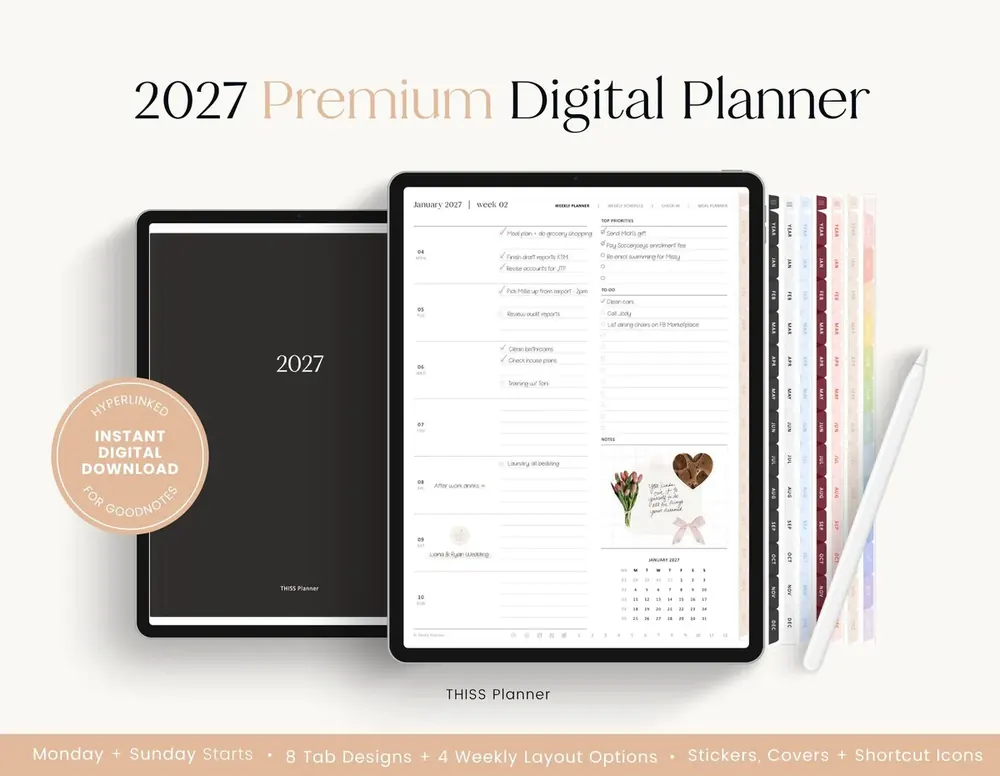
So you’ve just bought your digital planner (yay!), opened the Etsy app to grab it, and… there’s no download button anywhere?
Or maybe you did download something, and it turned out to be a single page of links?
Don’t stress, you’re definitely not alone. Downloading from Etsy is one of the most common problems our customers tell us about, and it’s an easy fix once you know where to look.
In this guide I’ll show you how to download your digital planner from Etsy in a web browser, what to do if you checked out as a guest, and how to unzip your files in the Files app. Then we’ll go through what to do when something doesn’t work, so you can get from Etsy to your first planner page without the guesswork.
In short
- Etsy downloads don’t work in the Etsy app yet, so sign in to Etsy in a web browser such as Safari or Chrome.
- Go to You, then Purchases and Reviews, find your order, choose Download Files, then tap Download next to each file.
- If you checked out as a guest, Etsy emailed you the download links.
- Because of Etsy’s file size limits, your download is a PDF with links to your planner files. Save those to the Files app, unzip any ZIP folder, then import the planner PDF.
How to download your planner from Etsy in a browser
The thing that trips most people up is the Etsy app. Downloads don’t work in the app yet, so you’ll need a web browser instead. Your files are ready as soon as your payment is confirmed, and you can do every step right there on your iPad.
- Open Safari or Chrome and sign in to Etsy with the account you used to buy your planner. Use the browser, not the Etsy app.
- Go to the You tab, then Purchases and Reviews.
- Find your THISS Planner order and choose Download Files.
- Tap Download next to each file. If your browser asks, confirm the download.
- If a PDF opens in the browser instead of downloading, tap the Share button and choose Save to Files.
On iPad, Safari saves downloads to the Downloads folder in the Files app, unless you’ve changed that setting.
How to download your planner if you checked out as a guest
Didn’t sign in to an Etsy account when you bought? No problem. Etsy emailed you the download links instead.
- Search your inbox for the Etsy email about your order. Check your spam or promotions folder too.
- Open the download link in Safari or Chrome.
- Tap Download next to each file and save it to the Files app.
How to save and unzip your planner files in the Files app
Now for the part that surprises a lot of people. Because of Etsy’s file size limits, the file you get from Etsy is a PDF with links to your planner files. Your planner is all there, it’s just one more tap away!
Here’s how to go from that PDF to a planner that’s ready to import.
- Open the Files app, go to Downloads and tap the PDF from Etsy to open it.
- Tap each link in the PDF to download your planner files, and save them to Files.
- If a file is a ZIP folder, tap it once. Files creates an unzipped folder next to it.
- Open the new folder to find the planner PDF and any PNG stickers.
- Move everything into a folder you’ll find again, such as one called THISS Planner.
Two quick tips before you move on. If a file ends in .goodnotes.zip, import it through Goodnotes instead of unzipping it. And keep your original download untouched. Import a copy into your app, and leave the original in Files until you’ve checked the planner opens properly.
How to import your planner into Goodnotes or Notability
Almost there! The 2027 download includes Monday and Sunday start versions in four weekly layouts and eight tab colors. That’s a lot of choice, so pick the one version you want to start with and import that PDF as a new document.
- Goodnotes: touch and hold the PDF in Files, choose Share or Open With, then choose Goodnotes. You can also import from inside Goodnotes. See the full Goodnotes steps.
- Notability: in the Library, touch and hold +New, select Import and choose the PDF. See the full Notability steps.
Once it’s in, open the planner and tap a tab to check the links work. Then you’re ready to start planning.
Troubleshooting common Etsy download problems
Something not quite working? Find your problem below.
- There’s no download button in the Etsy app. Etsy downloads don’t work in the app yet. Sign in to Etsy in Safari or Chrome instead.
- I can’t find my order. Check that you’re signed in with the account you bought with. If you checked out as a guest, look for Etsy’s email with your download links.
- The download is only one page. That’s the PDF with links to your files. Tap the links inside it to download the planner.
- The file won’t open or import. Save it in Files first, then import from inside your app. If it’s in a ZIP, unzip it, and check that the file name ends in .pdf.
- Goodnotes isn’t in the Share menu. Import from inside Goodnotes instead. The share sheet can hide apps, and it doesn’t mean the PDF is damaged.
- The tabs write on the page instead of opening. In Goodnotes, switch to Read Only Mode. In Notability, choose the Hand tool.
Still stuck? Our FAQs and the troubleshooting guide cover more, or you can send us a message and we’ll help.
Common questions
Do I need a computer to download my planner?
Nope. You can download, unzip and import everything on your iPad, using Safari or Chrome and the Files app.
Will anything be posted to me?
No. Everything we make is digital, and your files are ready to download as soon as your payment is confirmed.
Happy planning!
Once your planner is in Goodnotes or Notability, the fiddly part is behind you, and the fun part (actually planning!) can begin.
Want to practice first? The free planner samples in the free library import the same way, so they’re a handy way to check everything works in your app.
Keep reading: Getting started with your planner, How to improve your handwriting on the iPad and Portrait or landscape digital planner: which suits you?